How it works
Plan your money before you spend it
Envelopes is a planning tool, not just an expense tracker. Instead of logging what you already spent, you tell the app about your income, bills, loans and goals up front — and it shows you the months ahead, so you always know what's coming and what's safe to spend.
Plan, don't just track
Most budgeting apps only record the past: they add up what you already spent and leave you to guess about next month. Envelopes works the other way around. You give every amount a purpose before it's spent, and the app projects your future balance from your recurring income and commitments. When a spending envelope is empty, spending stops — no guesswork, no surprise overdrafts.
Every amount gets a named purpose before you spend it — an envelope for weekly spending or a goal for the future.
Recurring income, expenses and loans are defined once; the app projects them forward for you.
You see planned expenses for the weeks and months ahead, not just a log of the past.
A safe-to-spend budget is calculated from your real commitments, so you never overcommit.
Set up in five steps
The order matters — each step builds on the one before it. It takes only a few minutes.
Add your accounts
Start with where your money actually is — your bank account, cash, credit cards, savings. Set each one's real balance and currency. Everything else references an account, so this comes first.
Add income, expenses and loans
Define your salary and any regular income, then your recurring bills — rent, utilities, subscriptions. Add loans with their principal, rate and term. These recurring definitions are what let the app project your cash flow forward.
Create envelopes for weekly spending
Envelopes cover the spending you control week to week — groceries, dining, transport. Each gets a weekly amount. When the envelope is empty, you know to stop. At week's end you can roll the remainder forward, move it to a goal, or reset.
Set your saving goals
Define what you're saving toward — an emergency fund, a holiday, a new laptop — with a target amount and a deadline. The app tracks progress and tells you how much to set aside each month to arrive on time.
Record transactions as you go
Log money as it moves and link each entry to its income, expense, envelope or goal so balances and progress stay accurate. Loan payments are generated automatically from the amortisation schedule — no manual entry needed.
See your future, not just your past
Once your accounts, recurring items and goals are in place, the planning views show you what's ahead:
Upcoming payments
The home dashboard lists your planned transactions for the next 30 days — every bill and income you'll receive — with an Apply button to confirm each as it happens. Overdue items are highlighted so nothing slips.
Months-ahead forecast
The Analytics forecast projects the coming months: income versus expenses, loan payments, goal contributions and weekly envelopes side by side. It warns you about any month where your commitments would exceed your income.
Plan versus actual
The Planning page compares what you planned against what really happened, period by period, with an accuracy score and the variance for income, expenses and savings — so your plan keeps getting sharper.
Goal and loan projections
Each goal shows an estimated completion date based on your contribution rate, and every loan comes with a full amortisation schedule — every future payment split into interest and principal.
See it in action
A look at the real app, using a demo account with sample data.
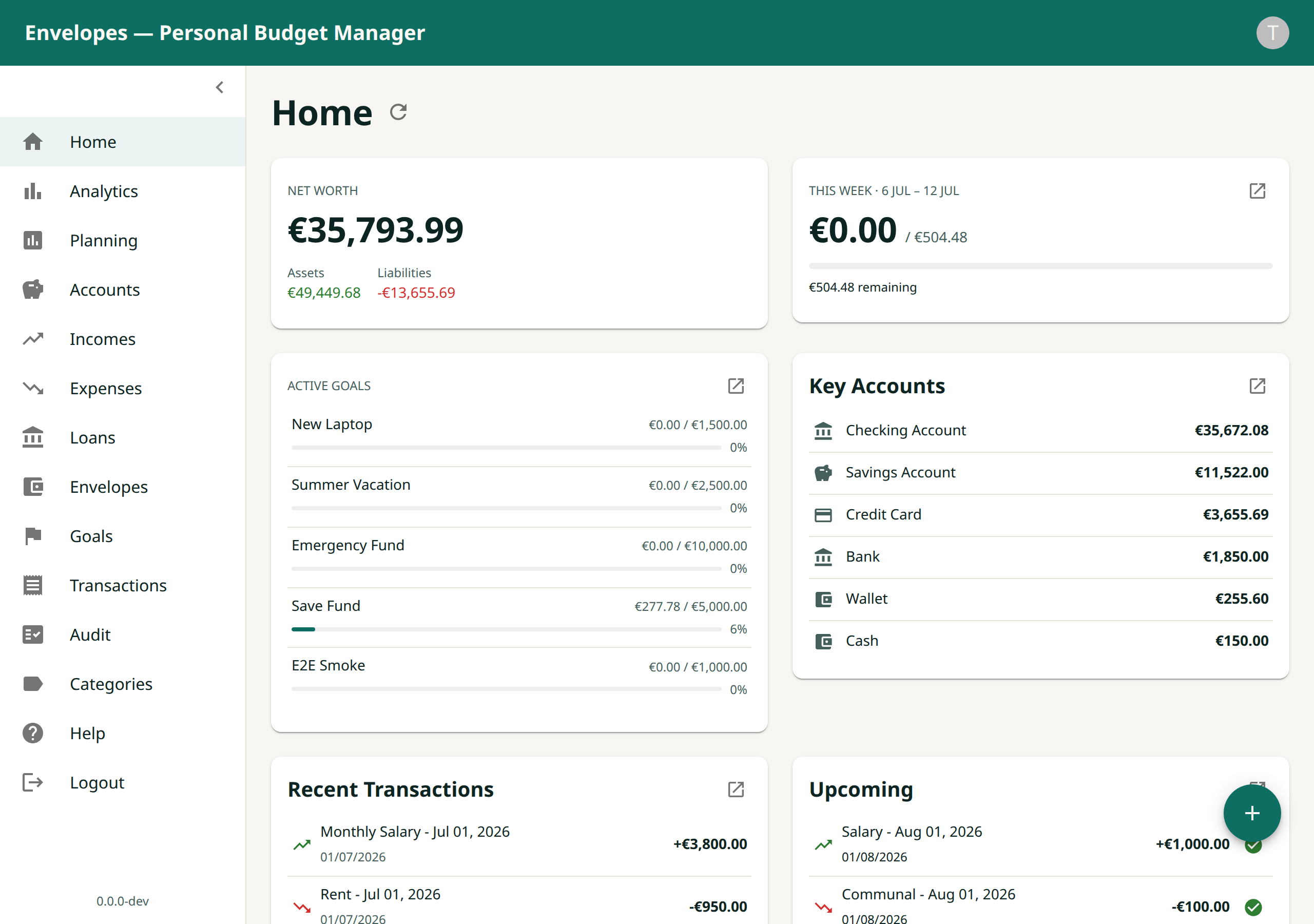
Home & upcoming payments
This week's budget at a glance, plus the planned transactions coming up in the next 30 days.
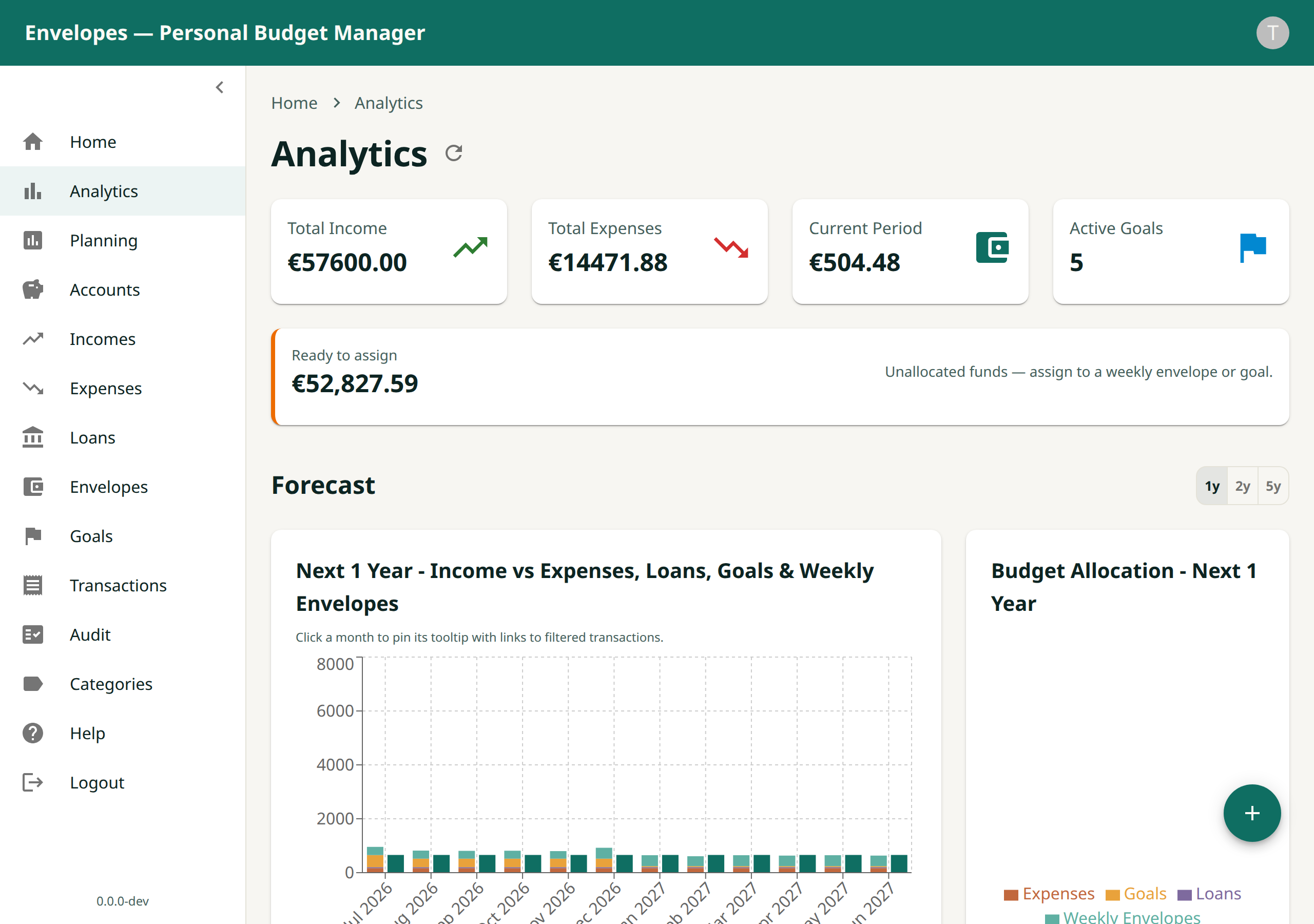
Months-ahead forecast
Projected income versus expenses, loans, goals and envelopes for the coming months.
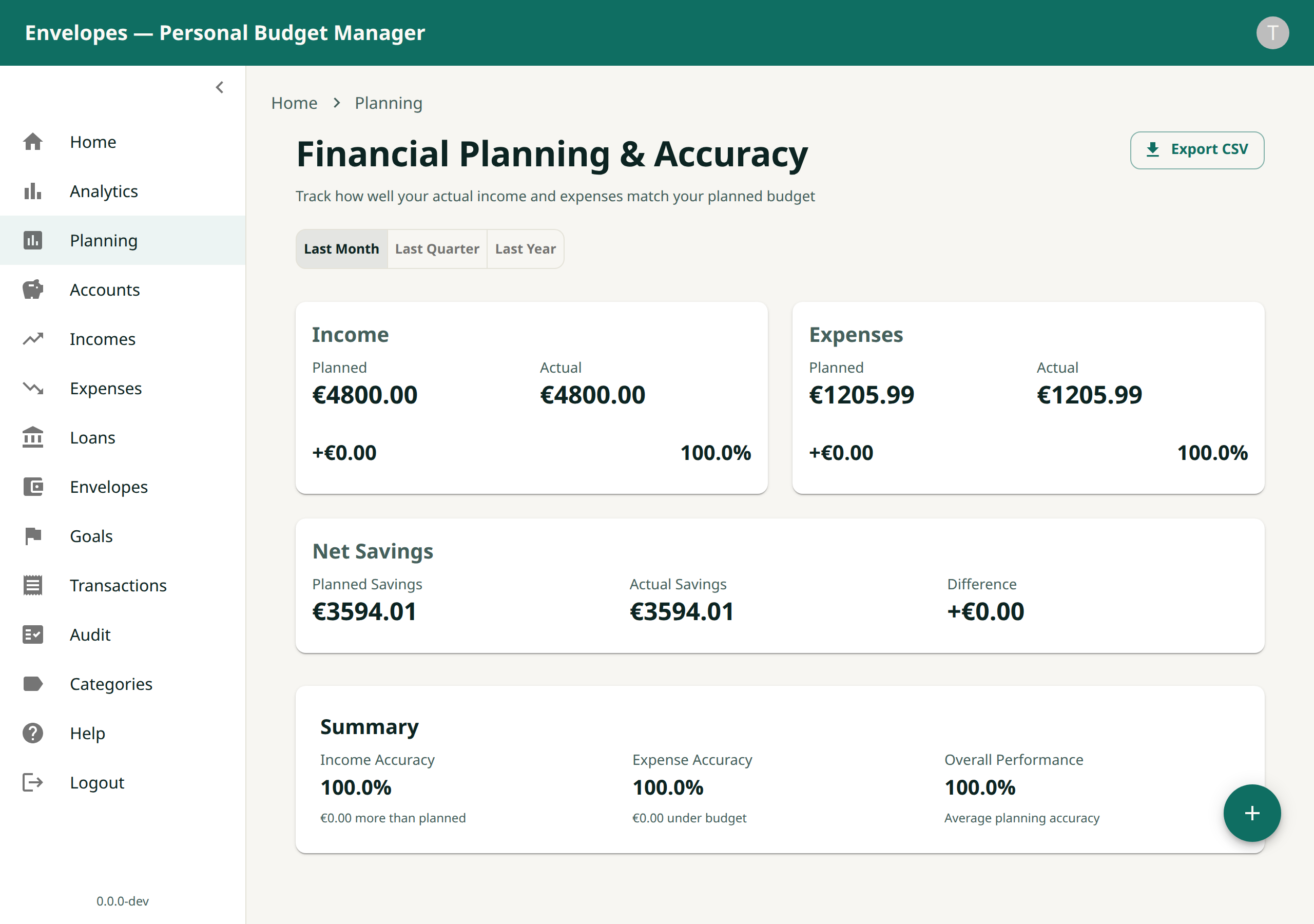
Plan versus actual
How closely your real income and spending tracked the plan, period by period.
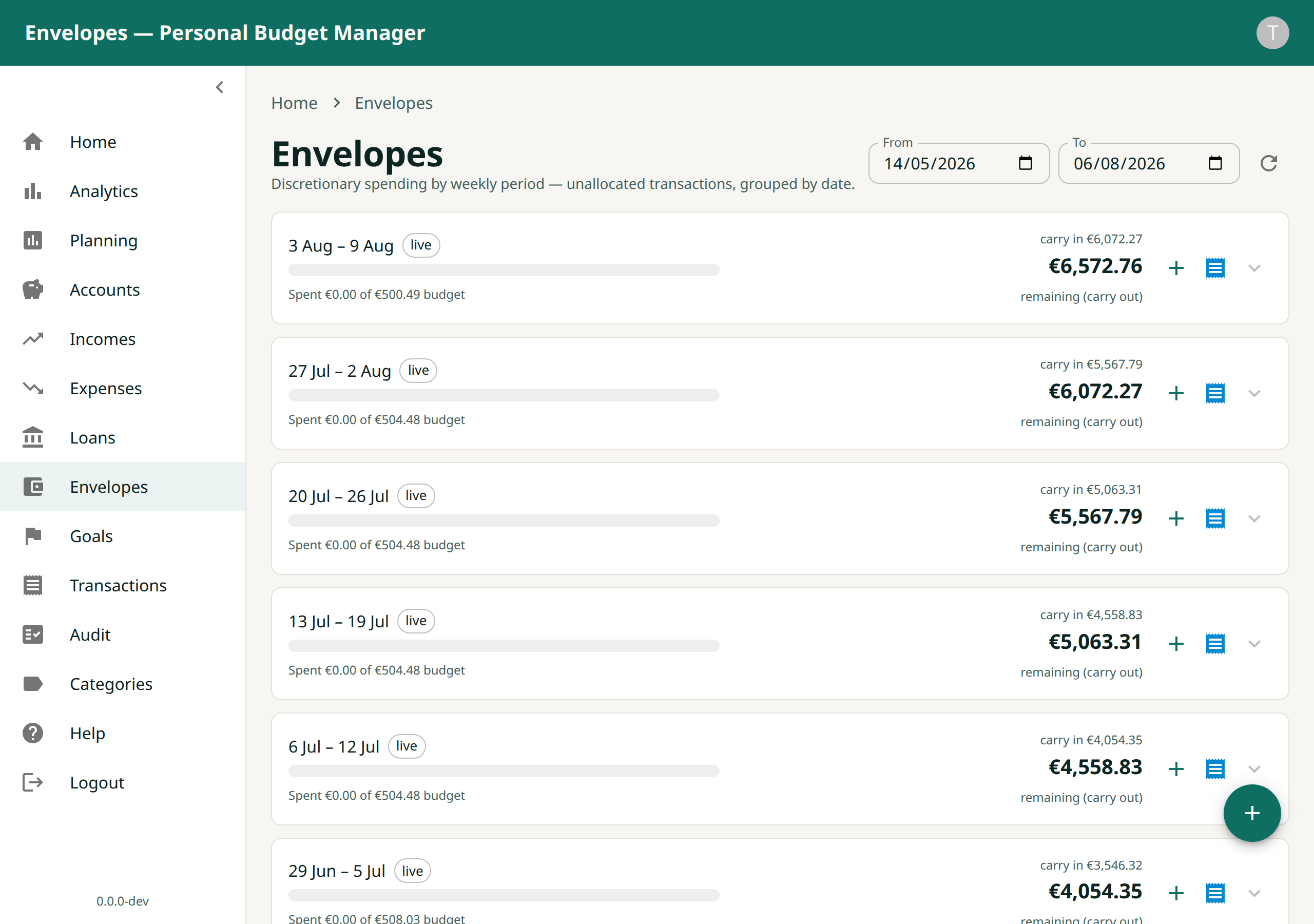
Weekly envelopes
Each spending envelope with its budget, what's spent, and what rolls forward.
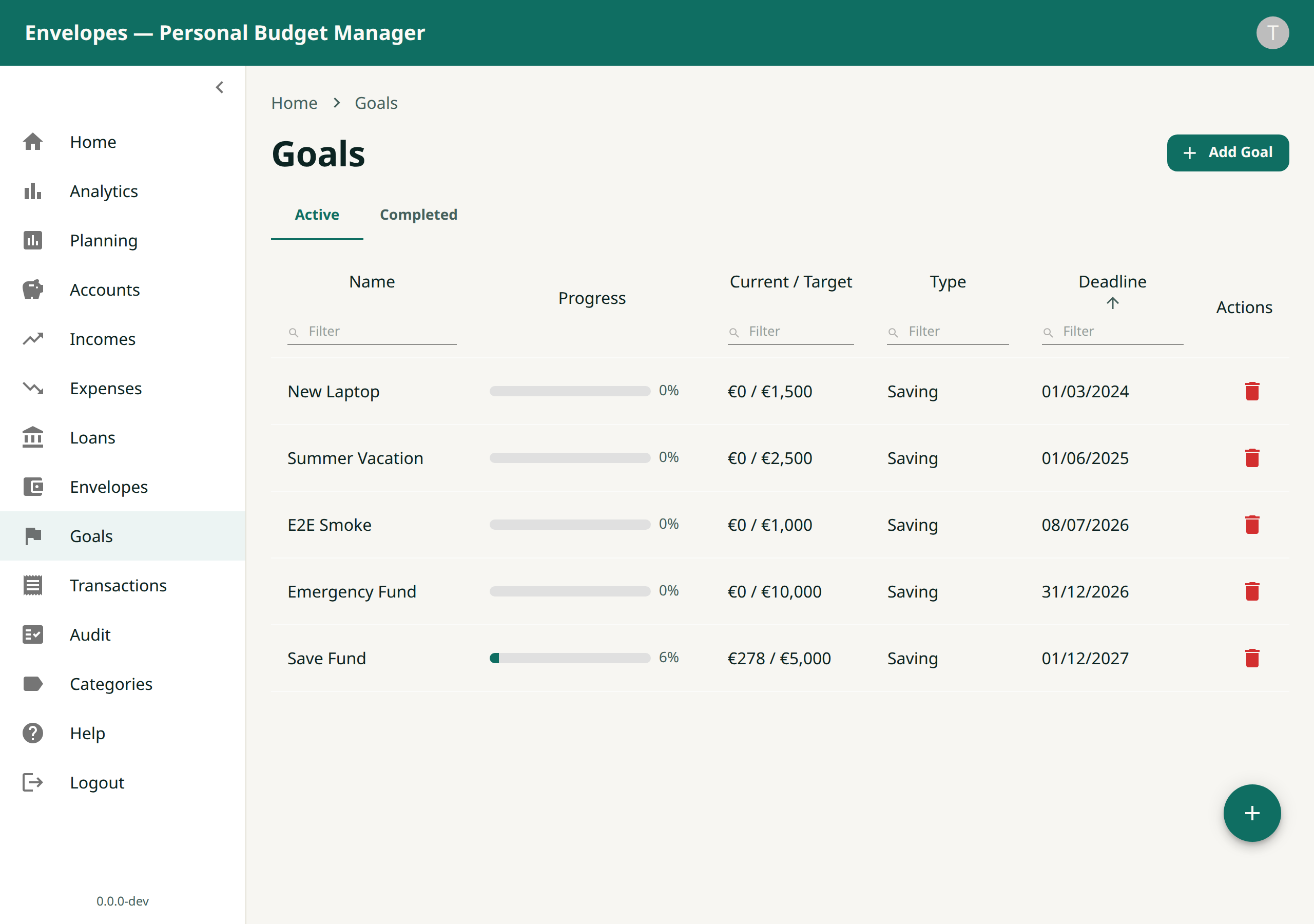
Saving goals
Progress toward each goal and the estimated date you'll reach it.
The payoff
Because every amount has a purpose and every commitment is projected forward, you're never surprised by a bill and never guessing whether you can afford something. You plan with confidence instead of reacting to your bank balance.
Start planning in minutes
Sign in with Google and your data stays private to you. Family members can use the same app independently.
Continue with GoogleFree to use. Your financial data is private to your account.
© 2026 Alex Bezpalko · Envelopes